BrainTEL Logo
    99.9% Uptime Guarantee10,000+ B2B Customers40+ Value-Added Services24/7 Technical Support40+ Years of ExcellenceFiber Internet up to 1GbpsTier III Compliant Data CenterEnterprise Voice SolutionsAI & Automation SolutionsFast & Reliable Bulk SMS99.9% Uptime Guarantee10,000+ B2B Customers40+ Value-Added Services24/7 Technical Support40+ Years of ExcellenceFiber Internet up to 1GbpsTier III Compliant Data CenterEnterprise Voice SolutionsAI & Automation SolutionsFast & Reliable Bulk SMS
    1

    Open EasyPaisa App
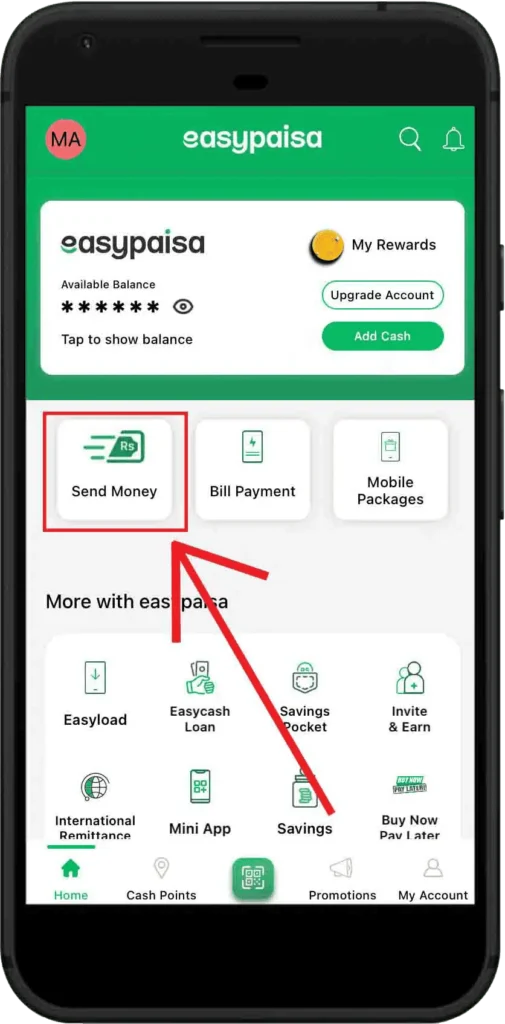
    Step 1: Open EasyPaisa App

    Launch the EasyPaisa app and tap on "Send Money"

    2

    Select Bank Transfer
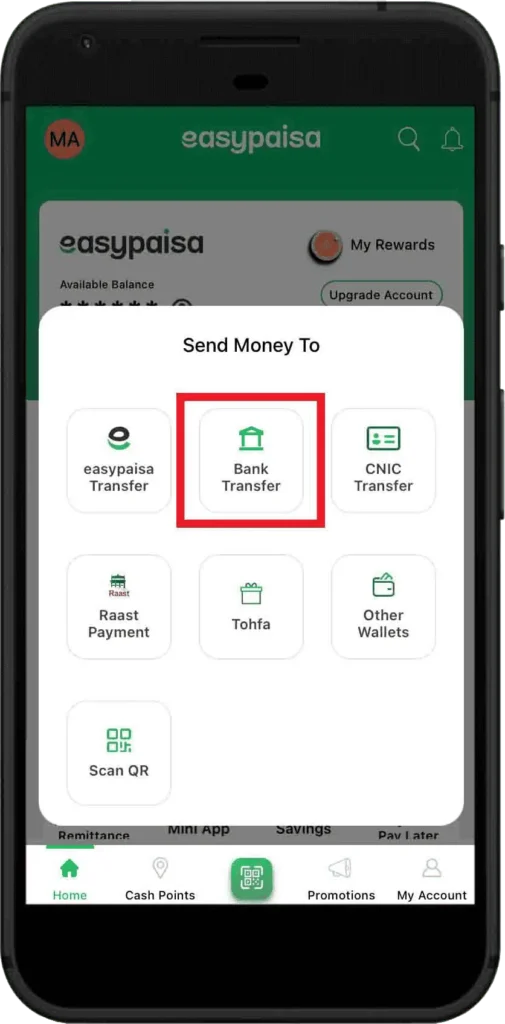
    Step 2: Select Bank Transfer

    From the "Send Money To" options, select "Bank Transfer"

    3

    Choose Mobilink Microfinance Bank
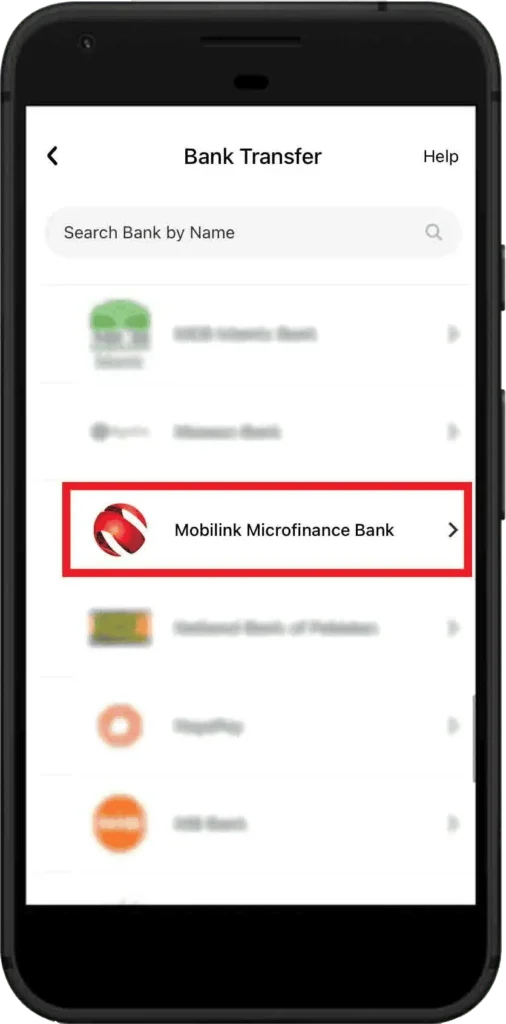
    Step 3: Choose Mobilink Microfinance Bank

    Search for and select "Mobilink Microfinance Bank" from the list

    4

    Enter Account Details
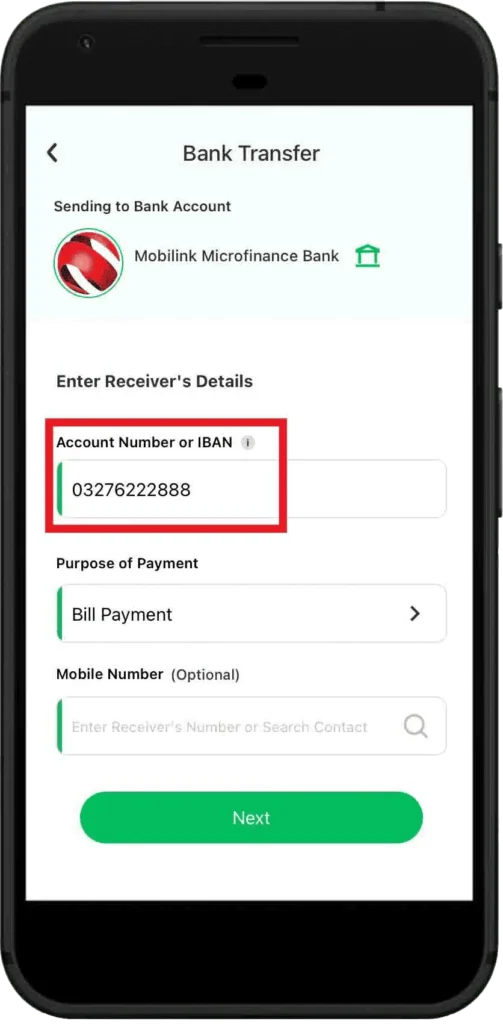
    Step 4: Enter Account Details

    Enter account number "03276222888" and select "Bill Payment" as the purpose

    5

    Enter Amount
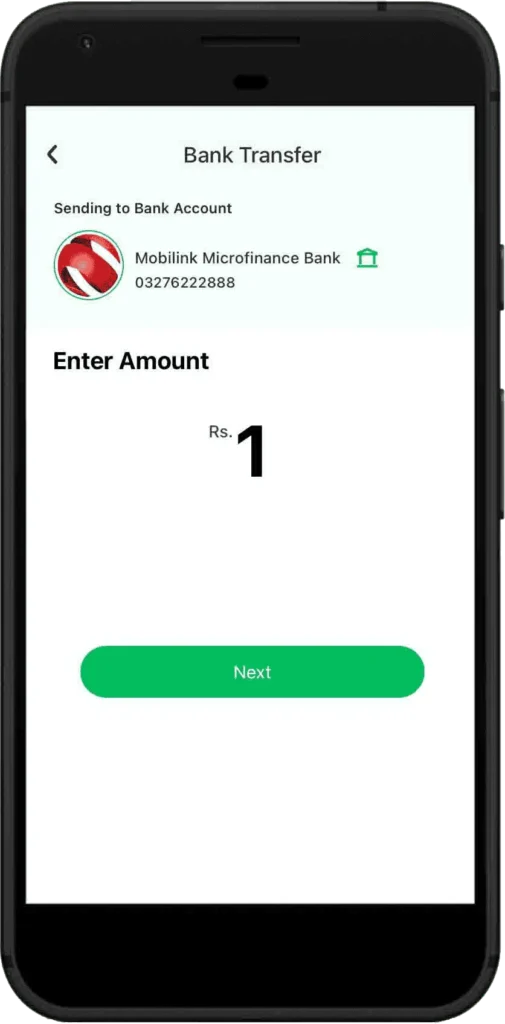
    Step 5: Enter Amount

    Enter the amount you want to pay for your bill

    6

    Confirm Transaction
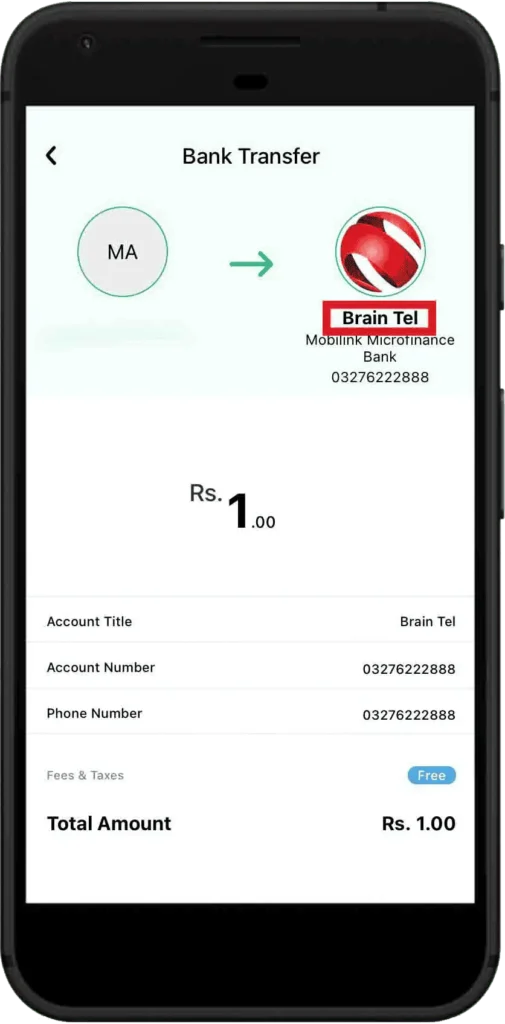
    Step 6: Confirm Transaction

    Review the transaction details showing Brain Tel account information and confirm

    7

    Payment Successful
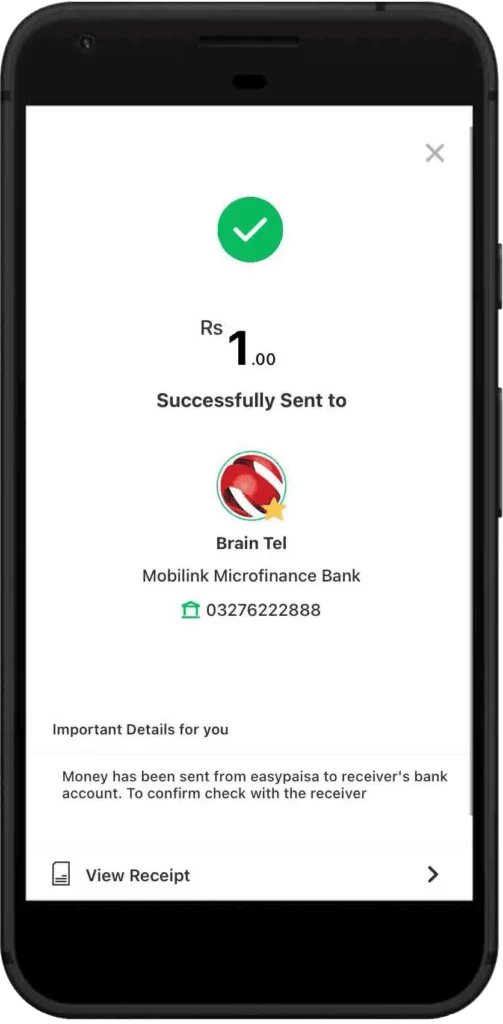
    Step 7: Payment Successful

    You will receive a confirmation that the payment has been successfully sent

    Important Information

    Account Title:Brain Tel
    Bank:Mobilink Microfinance Bank
    Account Number:03276222888
    Purpose of Payment:Bill Payment
    Note:Money will be sent from EasyPaisa to receiver's bank account. Please confirm with receiver.